SOS: 15GB Android + PC Backup1.6.611
Publisher Description
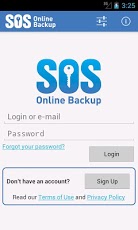
“SOS Online Backup may be the very best way to protect your precious personal data…†– PC MagazineAndroid backup at its best:✔ Backup Apps, Pictures, Videos and Music to your personal SOS cloud✔ Backup and restore up to 5 PCs, Macs, Androids, and iPhones with a single SOS account✔ Access the files in your personal SOS cloud ✔ Open files in supported apps✔ Backup any other files on internal storage or SD cards✔ "Client-side" encryption - files are protected BEFORE they leave your device✔ Automatic and unlimited versioningSOS is available for Windows + Mac + Android + iOS (iPhone/iPad) + Facebook (free Facebook app backs-up your ProfileNo matter which application you use to create your SOS account, your data will be accessible from up to five other devices. It’s simple - backup your Android and access your data on your PC!Purchase this app and get 15GB of SOS cloud storage for only $4.95/year – ONLY available through the Google store. SOS is fast, secured with military-grade encryption and incredibly reliable. With over 500,000 clients worldwide and millions of PCs protected, SOS represents the finest cloud storage and backup service available.
About SOS: 15GB Android + PC Backup
The company that develops SOS: 15GB Android + PC Backup is SOS Online Backup. The latest version released by its developer is 1.6.611. This app was rated by 1 users of our site and has an average rating of 4.0.
To install SOS: 15GB Android + PC Backup on your Android device, just click the green Continue To App button above to start the installation process. The app is listed on our website since 2013-06-11 and was downloaded 23 times. We have already checked if the download link is safe, however for your own protection we recommend that you scan the downloaded app with your antivirus. Your antivirus may detect the SOS: 15GB Android + PC Backup as malware as malware if the download link to com.sosonlinebackup.android.gb15 is broken.
How to install SOS: 15GB Android + PC Backup on your Android device:
- Click on the Continue To App button on our website. This will redirect you to Google Play.
- Once the SOS: 15GB Android + PC Backup is shown in the Google Play listing of your Android device, you can start its download and installation. Tap on the Install button located below the search bar and to the right of the app icon.
- A pop-up window with the permissions required by SOS: 15GB Android + PC Backup will be shown. Click on Accept to continue the process.
- SOS: 15GB Android + PC Backup will be downloaded onto your device, displaying a progress. Once the download completes, the installation will start and you'll get a notification after the installation is finished.
Program Details
System requirements
Download information
Pricing
Version History
version 1.6.611
posted on 2013-06-11
Several fixes and updates
